

PC Chrono 1.8
PC Chrono is a great all-in-one clock, timer and stopwatch for your desktop
Program info
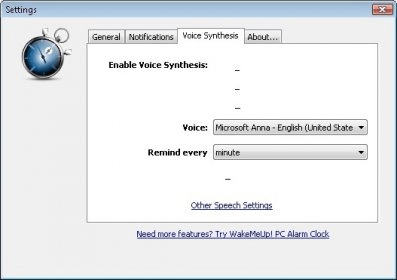
PC Chrono is a nice application created by highspheres.com that comprises three useful utilities - a timer, a stopwatch, and a clock. It is meant to help you with all your time-related desktop needs.
The program has an interface that resembles a widget coming out of a Mac OS system. It is very simple to use, with each component of the application easily identifiable and reachable. The clock is a bit redundant (given that you already have a clock in your operating system), but this one lets you set up alarms with a custom sound, as well as prompt a computer voice to let you know the time at certain intervals.
The stopwatch and the timer are pretty straightforward: you can configure the timer based on the current time or on a predefined time interval. When minimized, the program sits in your system tray, where it can be easily reached just by clicking on it. However, PC Chrono does not allow you to configure the window’s size or style, making it look odd on most Windows desktops. There is no "always on top" feature, but even if it were, the window is too big not to disturb anything you are working on. Though, all in all, it is a good choice for timing solutions in the desktop.
This application is the heart of Highsphere's other well-known application - WakeMeUp!
Pros
- Easy to use
- Nice Interface
Cons
- Lack of configuration options
Details
Extensions

No information available
The data will be available later.



Comments